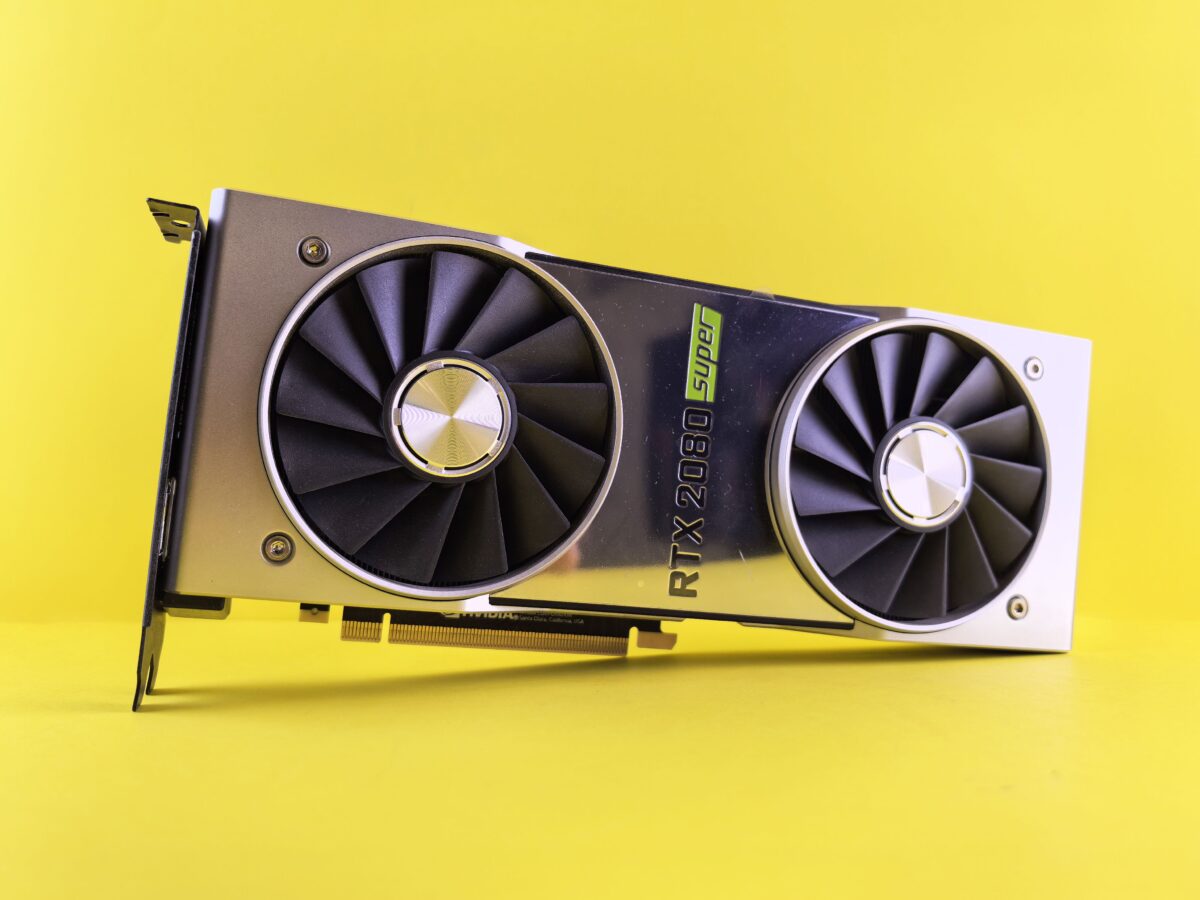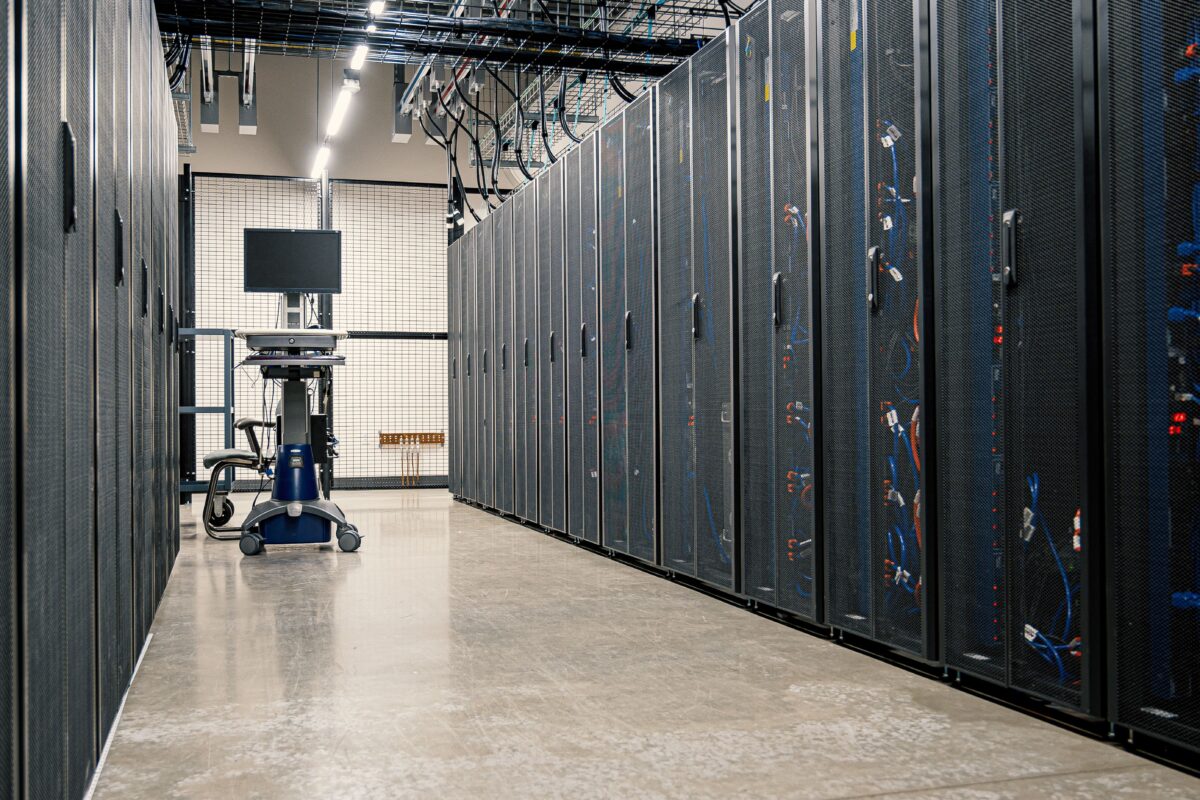
Almost every modern digital service depends on data centers.
When you open a website, stream a video, send a message, upload a file, run an application, or interact with an AI service, somewhere behind that request there are physical machines processing data.
A data center is essentially a facility designed to house and operate computing infrastructure at scale.
That sounds simple, but a modern data center is much more than a room full of servers.
It is a combination of:
- Computing hardware
- Storage systems
- Network equipment
- Electrical infrastructure
- Cooling systems
- Physical security
- Backup power
- Monitoring
- Fire protection
- Redundancy and failover systems
The objective is straightforward:
Keep computing equipment running reliably, securely and efficiently, often 24 hours a day.
NIST’s research on critical facilities describes data centers as buildings with extensive electrical, mechanical and temperature-control systems because servers generate substantial heat and require highly reliable power.
What Is a Data Center?
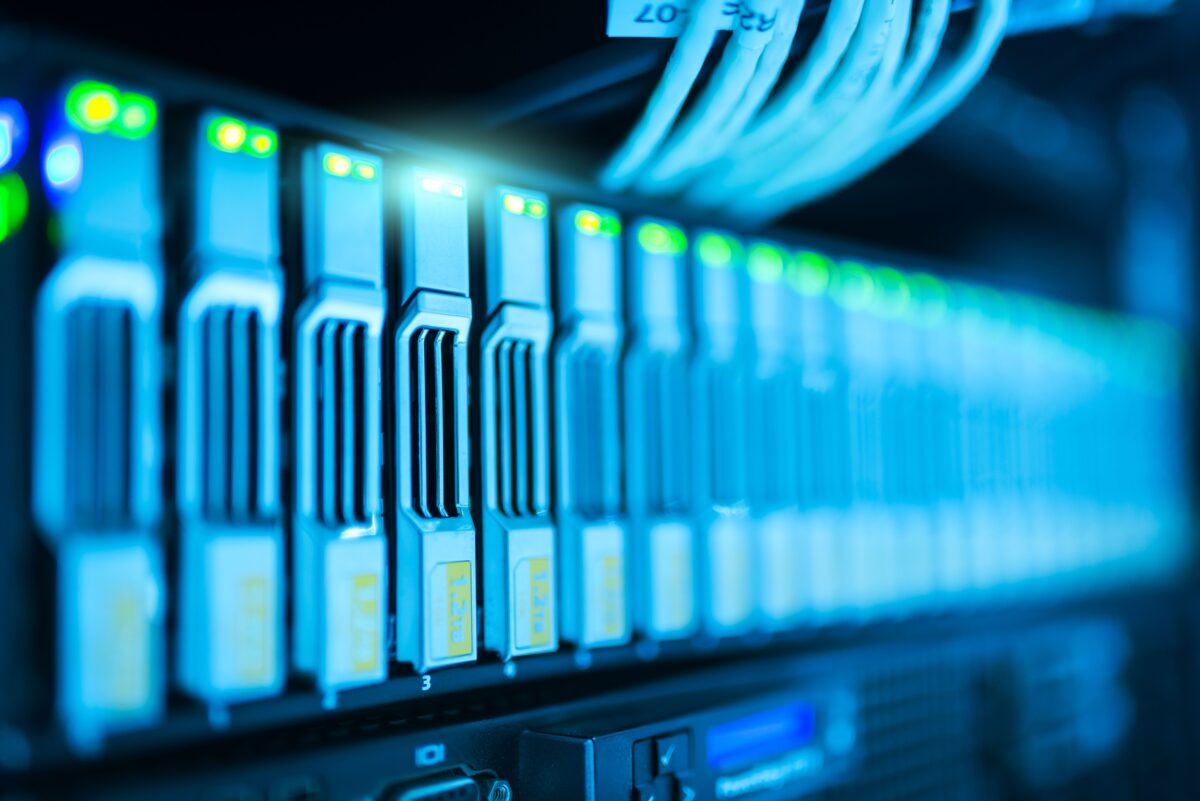
A data center is a facility that houses computing and networking equipment used to process, store and transmit digital information.
A simplified data center looks like this:
                 Internet
                    |
             Network Equipment
                    |
        +-----------+-----------+
        |           |           |
      Rack 1      Rack 2      Rack 3
        |           |           |
     Servers      Servers      Servers
        |           |           |
        +-----------+-----------+
                    |
                 Storage
But the equipment shown above is only the IT side.
Behind it is another infrastructure layer:
                 DATA CENTER
                      |
       +--------------+--------------+
       |              |              |
     IT Load        Power          Cooling
       |              |              |
    Servers       UPS / PDU       CRAC / Liquid
    Storage       Generators      Chillers
    Network       Switchgear      Pumps
All of these systems have to work together.
A server that is extremely powerful is not useful if the facility cannot provide stable electricity or remove the heat it produces.
What Is Inside a Data Center?
A typical facility can be divided into several major areas.
IT Infrastructure
This includes:
- Servers
- Storage systems
- Network switches
- Routers
- Firewalls
- Load balancers
- Hardware accelerators
Power Infrastructure
This includes:
- Utility connections
- Transformers
- Switchgear
- UPS systems
- Batteries
- Power distribution units
- Backup generators
Cooling Infrastructure
This can include:
- Air-conditioning systems
- Computer Room Air Conditioning (CRAC) units
- Computer Room Air Handlers (CRAHs)
- Chillers
- Cooling towers
- Pumps
- Heat exchangers
- Liquid-cooling systems
Facility Infrastructure
The building itself can contain:
- Physical security systems
- Fire detection and suppression
- Environmental monitoring
- Access-control systems
- Structured cabling
- Building-management systems
Google, for example, describes its data centers as containing thousands of server machines connected through local networks, alongside custom hardware and multiple layers of physical security.
The Basic Architecture of a Data Center
The easiest way to understand a data center is to follow a request.
Suppose you open a cloud-hosted website.
The simplified path can look like this:
Your Device
     |
     ↓
Internet
     |
     ↓
Data Center Network
     |
     ↓
Load Balancer
     |
     ↓
Application Server
     |
     ↓
Database
     |
     ↓
Storage
The request may pass through many more systems in a real production environment.
For example:
User
 ↓
DNS
 ↓
Internet
 ↓
Edge / CDN
 ↓
Firewall
 ↓
Load Balancer
 ↓
Application Servers
 ↓
Cache
 ↓
Database
 ↓
Storage
The important thing is that the application is not running on one isolated computer.
Modern data centers generally operate as interconnected pools of compute, storage and networking resources.
Servers: The Computing Layer
Servers are the machines that perform most of the actual computation.
A server is essentially a computer designed for workloads that need reliability, performance and continuous operation.
A typical server can contain:
- CPU
- RAM
- SSDs or other storage
- Network interfaces
- Power supplies
- Cooling fans
- Management controllers
For example:
Server
----------------------------
CPU
RAM
SSD
Network Interface
Management Controller
Power Supply
----------------------------
Different servers can be optimized for different workloads.
A general-purpose web server may prioritize CPU and memory.
A database server may require fast storage and large amounts of RAM.
An AI server may contain multiple GPUs or other accelerators.
A storage server may prioritize drive capacity and network bandwidth.
This specialization is one reason modern data centers contain many different types of hardware.
What Is a Server Rack?
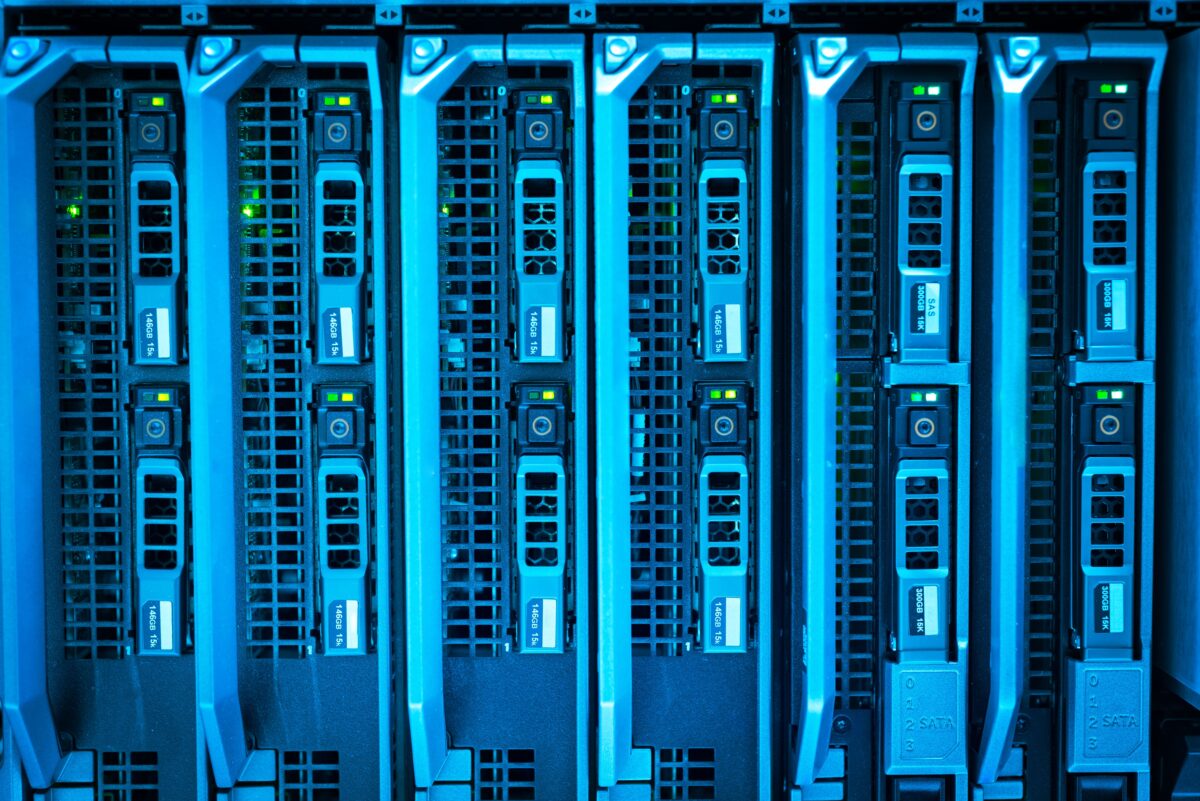
Individual servers are installed into standardized racks.
A rack provides physical structure for mounting equipment and organizing power and network connections.
A simplified rack might look like:
+---------------------------+
| Network Switch            |
+---------------------------+
| Server                    |
+---------------------------+
| Server                    |
+---------------------------+
| Server                    |
+---------------------------+
| Server                    |
+---------------------------+
| Storage                   |
+---------------------------+
| Power Distribution        |
+---------------------------+
Servers are usually designed around rack units, commonly abbreviated as U.
A 1U server occupies one rack unit of vertical space.
Larger machines can occupy multiple rack units.
Rack density matters because more computing equipment in the same physical space means more power consumption and more heat.
That becomes particularly important for modern GPU infrastructure.
How Servers Communicate
A data center needs a high-speed network connecting its servers.
Imagine an application running on one server while its database runs on another.
The application needs to communicate with the database constantly.
A simplified architecture is:
Application Server
       |
       ↓
Network Switch
       |
       ↓
Network Switch
       |
       ↓
Database Server
Large data centers can contain thousands or even tens of thousands of servers, making network design a major engineering problem.
Google has described its data-center networks as large-scale fabrics connecting tens of thousands of servers with very high bandwidth and low latency.
Why Data Center Networking Is Different
A normal office network might connect dozens or hundreds of devices.
A large data center may need to connect huge numbers of servers and allow them to communicate with each other at high speed.
This creates different requirements:
- High bandwidth
- Low latency
- Redundancy
- Predictable performance
- Automated configuration
- Fault isolation
- Rapid recovery
Google’s data-center networking architecture, for example, uses techniques such as Clos-style network topologies and software-defined networking to scale large networks.
The basic idea is to avoid relying on one giant switch.
Instead, many network devices work together as a scalable fabric.
              Core / Fabric
             /      |      \
          Switch  Switch  Switch
           / \      / \      / \
        Server Server Server Server
If the system is designed correctly, traffic can be distributed across multiple paths.
East-West and North-South Traffic
Data center traffic is often described using two directions.
North-South Traffic
This generally describes traffic entering or leaving the data center.
For example:
Internet
   ↓
Data Center
or:
Data Center
   ↓
Internet
East-West Traffic
This refers to traffic between systems inside the data center.
For example:
Server A
   ↓
Network
   ↓
Server B
Modern distributed applications can generate enormous amounts of east-west traffic because applications, databases, storage systems and services may be distributed across many machines.
This becomes even more important for AI workloads, where large numbers of accelerators may need to exchange data rapidly.
Google’s 2026 discussion of its AI-era data-center networks specifically highlights the demanding bandwidth and latency requirements of large AI workloads.
Storage in a Data Center
Data centers need somewhere to store information.
Storage infrastructure can include:
- SSDs
- Hard drives
- NVMe systems
- Storage arrays
- Distributed storage systems
- Object storage infrastructure
- Backup systems
A modern application rarely depends on a single physical disk.
Instead, data may be replicated across multiple devices.
A simplified distributed storage architecture might look like:
              Application
                   |
                   ↓
             Storage System
              /    |    \
             /     |     \
         Disk A  Disk B  Disk C
             \     |     /
              Replication
If one drive fails, another copy may still be available.
The exact architecture depends on the storage system and workload.
Why Redundancy Matters
Hardware fails.
Hard drives fail.
Power supplies fail.
Network switches fail.
Cooling equipment can fail.
Even entire buildings can experience outages.
A well-designed data center therefore assumes that failures will happen.
Instead of designing around:
One component
      ↓
Failure
      ↓
Entire service stops
the architecture tries to provide alternatives:
Component A ----\
                 \
                  → Service
                 /
Component B ----/
This principle is called redundancy.
The goal is to prevent one failed component from becoming a single point of failure.
What Does N+1 Redundancy Mean?
One common redundancy concept is N+1.
Suppose a system requires four cooling units under normal operating conditions.
Then:
N = 4
With N+1 redundancy:
4 required
+
1 spare
=
5 total
If one unit fails, the remaining units can continue supporting the required load.
NIST’s critical-facility research describes N+1 redundancy as having one additional component beyond the number required for operation and discusses increasing levels of redundancy in data-center designs.
More demanding facilities can use even greater redundancy.
The exact design depends on availability requirements, workload, cost and facility architecture.
Power: The Most Fundamental Requirement
Servers cannot operate without electricity.
But simply connecting a data center to the local power grid is not enough for high-availability infrastructure.
A modern facility can use multiple layers of power infrastructure:
Utility Grid
     |
     ↓
Transformer
     |
     ↓
Switchgear
     |
     +----------+
     |          |
    UPS       UPS
     |          |
     +----------+
          |
         PDU
          |
       Servers
Additional backup systems can include generators and battery systems.
The objective is to keep IT equipment operating when the normal electrical supply is interrupted.
What Does a UPS Do?
UPS stands for Uninterruptible Power Supply.
A UPS provides backup electrical power for a short period and helps bridge interruptions while another power source takes over.
A simplified sequence is:
Normal Power
     ↓
Servers

Power Failure
     ↓
UPS Batteries
     ↓
Servers continue running
     ↓
Generator / Alternate Power
     ↓
Longer-term operation
Google has described battery systems as an important part of its data-center power infrastructure because they can provide short-duration power during transitions between power sources or allow equipment to shut down cleanly if extended backup power is unavailable.
The exact electrical architecture differs between facilities.
Why Generators Are Used
Batteries cannot necessarily power a large data center indefinitely.
For longer outages, facilities can use backup generators.
A simplified design is:
                 Utility
                    |
                    ↓
                 Switchgear
                    |
             +------+------+
             |             |
           UPS          Generator
             |             |
             +------+------+
                    |
                 IT Load
When utility power is unavailable, the facility can transition to backup generation.
This is one reason data centers have much more complicated electrical systems than ordinary office buildings.
Power Distribution Inside the Rack
Electricity eventually has to reach each server.
A rack may have one or more Power Distribution Units (PDUs).
A simplified path is:
Electrical Infrastructure
          ↓
        PDU
          ↓
   +------+------+------+
   |      |      |      |
Server  Server Server Server
Power distribution is becoming increasingly important as server power consumption rises.
This is particularly visible in AI infrastructure, where high-performance accelerators can create much higher rack power densities than traditional enterprise servers.
Google has discussed infrastructure designed for racks scaling toward hundreds of kilowatts and eventually megawatt-class power levels for AI systems.
Why Servers Produce Heat

Almost all electrical power consumed by computing hardware eventually becomes heat.
A simplified chain is:
Electricity
    ↓
CPU / GPU / Memory
    ↓
Computational Work
    ↓
Heat
If that heat is not removed, the temperature of the equipment rises.
Excessive temperatures can cause:
- Hardware instability
- Performance throttling
- Component damage
- Automatic shutdowns
- Reduced equipment lifetime
Therefore, cooling is not an optional feature.
It is a core part of data-center engineering.
NIST notes that server equipment produces significant heat and that temperature control is critical to data-center operation.
How Air Cooling Works
Traditional data centers often use air as the primary cooling medium.
Server racks are arranged to manage airflow.
A common configuration separates cold aisles and hot aisles.
Cold Aisle
     ↓
[Front of Servers]
     ↓
   Servers
     ↓
[Back of Servers]
     ↓
Hot Aisle
Cold air enters through the front of the server equipment.
The servers pull that air through their components.
The heated air exits the back.
Google’s data-center cooling guidance describes this cold-aisle/hot-aisle arrangement and emphasizes preventing hot and cold air from mixing.
Why Airflow Management Matters
Imagine a cooling system producing cold air.
If hot exhaust air immediately mixes with that cold air, the cooling system has to work harder.
Instead, data centers try to maintain a controlled airflow path:
Cold Air
   ↓
Servers
   ↓
Hot Air
   ↓
Cooling System
   ↓
Cold Air
Blanking panels, sealed openings and careful rack placement can help reduce unwanted airflow mixing.
The goal is not simply to produce more cold air.
It is to move heat efficiently from the equipment to the cooling system.
CRAC and CRAH Systems
Data centers can use specialized cooling equipment.
CRAC
Computer Room Air Conditioning systems use refrigeration-based cooling to control temperature and humidity.
CRAH
Computer Room Air Handler systems generally move air through a cooling coil supplied by chilled water.
Both approaches can be used as part of larger cooling architectures.
The exact implementation depends on climate, facility design, equipment density and efficiency requirements.
What Is PUE?
One commonly used metric for data-center energy efficiency is Power Usage Effectiveness, or PUE.
The basic formula is:
PUE =
Total Facility Energy
---------------------
IT Equipment Energy
For example, suppose a facility consumes:
10 MW total
and its servers and networking equipment consume:
8 MW
Then:
PUE = 10 / 8
    = 1.25
The remaining energy is used by infrastructure such as cooling, power distribution and other facility systems.
A lower PUE generally means less overhead relative to the energy consumed by IT equipment.
However, PUE alone does not tell the complete story of a data center’s efficiency or environmental impact.
Liquid Cooling Is Becoming More Important
Air cooling works well for many workloads.
But increasing chip power density is pushing data-center cooling technology toward liquid.
Modern AI and high-performance computing systems can produce extremely high heat loads.
Google reported in 2026 that next-generation AI and HPC chips can exceed 1,000 watts of thermal design power and said standard air cooling is insufficient for such extreme heat loads in some configurations.
Liquid cooling can transfer heat more efficiently than air because liquids can carry substantially more heat per unit volume.
A simplified liquid-cooling system looks like:
GPU / CPU
   ↓
Cold Plate
   ↓
Coolant
   ↓
Heat Exchanger
   ↓
Cooling System
   ↓
Coolant returns
This is one of the major infrastructure changes occurring as AI workloads increase.
We will examine this in much more detail in the upcoming article on AI data centers.
Physical Security
A data center contains valuable computing equipment and potentially sensitive information.
Physical security can therefore include multiple layers.
For example:
Perimeter
   ↓
Security Gate
   ↓
Building Access
   ↓
Security Check
   ↓
Restricted Area
   ↓
Server Floor
Controls can include:
- Cameras
- Security personnel
- Access badges
- Biometrics
- Intrusion detection
- Physical barriers
- Visitor controls
- Access logging
Google describes layered physical security at its data centers, including restricted access, cameras, barriers, alarms and biometric controls.
The exact security architecture varies by operator and facility.
Fire Detection and Suppression
Data centers also need systems to detect and respond to fires without unnecessarily damaging sensitive equipment.
Facilities can use:
- Smoke detection
- Environmental sensors
- Fire alarms
- Specialized suppression systems
- Compartmentalization
Fire protection is especially important because a large data center contains substantial electrical equipment and cabling.
Monitoring Everything
A modern data center cannot rely on humans simply walking around looking for problems.
Thousands of sensors and software systems can monitor infrastructure.
Monitoring can include:
Server Temperature
CPU/GPU Utilization
Power Consumption
Network Traffic
Storage Health
Humidity
Cooling
UPS Status
Battery Status
Generator Status
Security Events
A simplified monitoring architecture looks like:
Sensors
   |
   ↓
Monitoring System
   |
   +------> Dashboard
   |
   +------> Alerts
   |
   +------> Automation
If a server becomes unhealthy, monitoring systems can detect it.
If a temperature threshold is exceeded, an alert can be generated.
If a network component fails, traffic can potentially be rerouted.
Automation is essential at large scale.
Data Centers Are Designed Around Failure
One of the most important concepts in data-center engineering is that failures are expected.
A server will fail eventually.
A disk will fail.
A network device may fail.
A power component may require maintenance.
A cooling unit may become unavailable.
The architecture therefore tries to prevent these individual failures from becoming service-wide failures.
A highly simplified resilient architecture might look like:
                 Load Balancer
                /      |      \
               /       |       \
            Server   Server   Server
               \       |       /
                \      |      /
                 Distributed
                    Data
The exact implementation depends on the application.
The key principle is:
Do not let one component become the only path to the service.
Data Center Redundancy Exists at Multiple Levels
Redundancy is not limited to servers.
It can exist at:
Server Level
Multiple application servers can run the same service.
Network Level
Multiple network paths can connect systems.
Power Level
Multiple power sources and backup systems can be available.
Cooling Level
Multiple cooling systems can provide capacity.
Storage Level
Data can be replicated across devices or locations.
Facility Level
Organizations can distribute workloads across multiple data centers or regions.
This creates layers of resilience.
Server redundancy
       ↓
Rack redundancy
       ↓
Network redundancy
       ↓
Power redundancy
       ↓
Facility redundancy
       ↓
Regional redundancy
The more critical the service, the more carefully these failure domains are considered.
How Cloud Providers Use Data Centers
Cloud providers use data centers as the physical foundation for their cloud services.
When you create a virtual machine in a cloud platform, you are not creating a computer from nothing.
The provider allocates resources from its existing infrastructure.
Conceptually:
Cloud API
   ↓
Resource Scheduler
   ↓
Compute Cluster
   ↓
Physical Server
   ↓
Virtual Machine
The same infrastructure can support many customers while keeping their workloads logically isolated.
This is one of the reasons cloud providers can offer computing resources on demand.
A Data Center Is Essentially a Huge Distributed Computer
At sufficient scale, the distinction between individual servers becomes less important.
A modern distributed application may use:
Thousands of CPUs
+
Thousands of storage devices
+
Thousands of network devices
+
Multiple facilities
Software coordinates all of these resources.
Google has described its data-center networks as the foundation for warehouse-scale computing and cloud services, where adding servers or storage can increase the capacity of higher-level services.
This is an important mental model.
A hyperscale data center is not just a warehouse containing computers.
It is a coordinated computing system.
From Traditional Data Centers to AI Data Centers
Traditional data centers were designed around workloads such as:
- Web applications
- Databases
- File storage
- Enterprise software
- Video streaming
- General cloud computing
AI introduces different requirements.
Large AI workloads can require:
- Large numbers of GPUs or specialized accelerators
- Extremely high network bandwidth
- High-speed accelerator interconnects
- Large power supplies
- High-density racks
- Advanced cooling
- Specialized storage systems
Google’s 2026 infrastructure work highlights how AI workloads are changing both data-center networking and physical infrastructure because of their compute, bandwidth and power requirements.
That means the next generation of data centers cannot simply be larger versions of traditional server rooms.
They increasingly need to be designed around the characteristics of AI workloads.
The Complete Data Center Picture
Putting everything together:
                         INTERNET
                            |
                            ↓
                      EDGE NETWORK
                            |
                            ↓
                     DATA CENTER
                            |
                  +---------+---------+
                  |                   |
               NETWORK             SECURITY
                  |                   |
                  ↓                   |
             LOAD BALANCER           |
                  |                   |
           +------+-------+           |
           |              |           |
        Servers        Servers        |
           |              |           |
           +------+-------+           |
                  |                   |
               Storage                |
                  |                   |
        +---------+---------+         |
        |                   |         |
      POWER              COOLING      |
        |                   |         |
       UPS              CRAC/CRAH     |
        |                   |         |
    Generator          Chiller/etc.   |
        |                   |         |
        +---------+---------+---------+
                  |
             Monitoring
Every layer has a job.
The servers perform computation.
The storage systems preserve data.
The network moves information.
The power infrastructure keeps equipment operating.
The cooling infrastructure removes heat.
Security protects the facility.
Monitoring detects problems.
Redundancy allows the system to continue operating when individual components fail.
Why Data Centers Matter
The cloud may make computing look virtual, but the physical infrastructure underneath it is very real.
Every cloud VM, database, storage bucket, streaming service and AI model ultimately depends on physical infrastructure somewhere.
That infrastructure requires:
- Land
- Buildings
- Servers
- Chips
- Network equipment
- Electricity
- Cooling
- Fiber connectivity
- Security
- Maintenance
- Engineering
And as computing workloads become more demanding, the physical requirements change as well.
AI is the clearest example.
A conventional application might run comfortably on a relatively small number of CPU-based servers.
A large AI workload can require thousands of accelerators connected through extremely high-bandwidth networks, with power and cooling systems designed around much higher rack densities.
That is why understanding ordinary data centers is important before looking at AI infrastructure.
Final Takeaway
A data center is not simply a building full of servers.
It is a complete infrastructure system in which computing, networking, storage, power, cooling, security and monitoring operate together.
The simplified model is:
Compute
   +
Storage
   +
Networking
   +
Power
   +
Cooling
   +
Security
   +
Redundancy
   +
Monitoring
        ↓
Reliable Digital Infrastructure
Cloud computing hides much of this physical complexity from the user.
But underneath every cloud service is a physical data center doing the actual work.
And as AI workloads continue to grow, that physical layer is changing rapidly.
The next question is therefore not just how data centers work, but how AI is forcing data-center architecture to change.
That is where AI data centers become fundamentally different from traditional data centers.
SiliconeUpdate.com is a technology news platform that publishes updates and informational content related to silicon technology, software, artificial intelligence, and emerging technologies.
All articles published on this platform are attributed to SiliconeUpdate.com instead of individual authors. Content is presented in a neutral, informational format without personal opinions.
—
Content Publishing
SiliconeUpdate.com publishes news and updates based on publicly available information, official announcements, and industry developments. The focus is on clarity, relevance, and timely reporting.
—
Editorial Control
All editorial decisions, updates, and content management are handled at the platform level. No individual human or AI identity is presented as the author of articles.
—
Contact
For editorial communication or general queries, contact:
Email: neemasharma@gmail.com