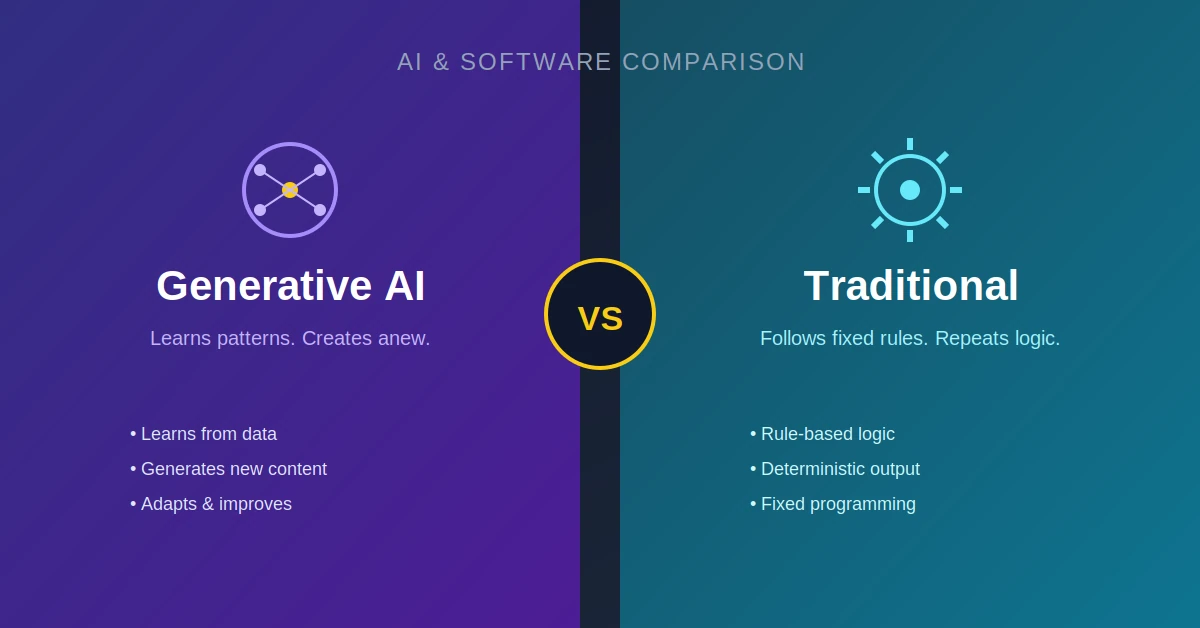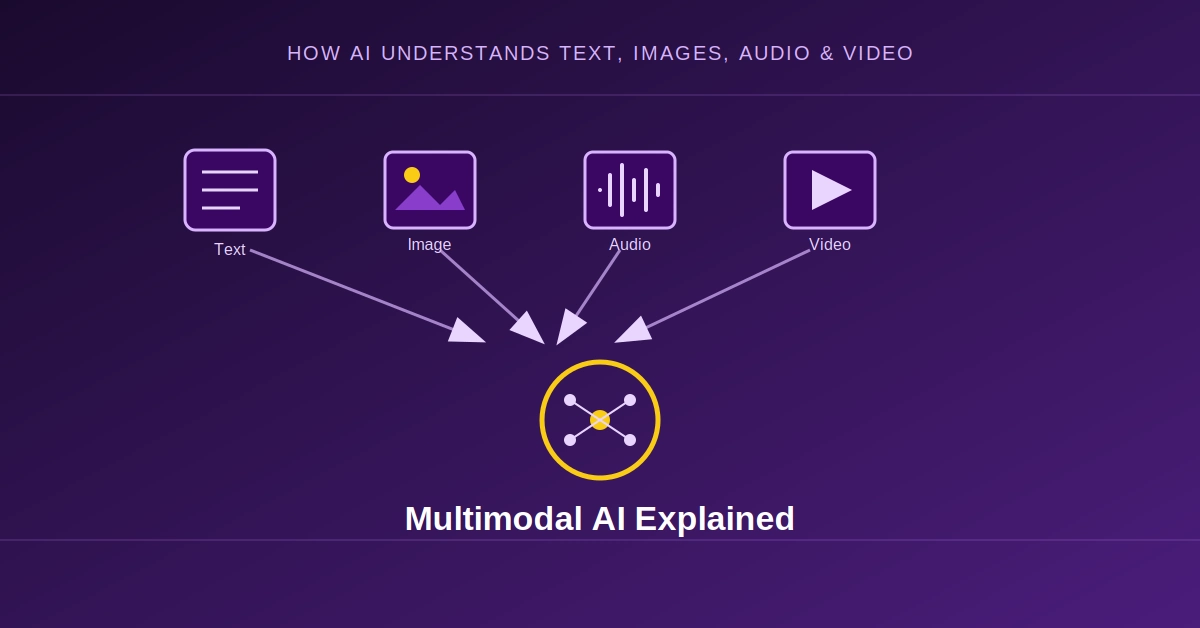
Traditional AI systems were usually designed around one type of information.
A computer vision model could analyze images.
A speech model could process audio.
A language model could understand text.
But humans don’t experience the world in separate data formats.
We look at an image while reading text. We listen to someone while watching what they are doing. We can look at a chart, read the labels, and explain what the chart means.
Multimodal AI tries to bring these different forms of information together.
A multimodal AI system can work with combinations of:
- Text
- Images
- Audio
- Video
- Documents
- Code
- Other structured or unstructured data
Modern multimodal models can accept several of these modalities in the same interaction. For example, Google’s Gemini documentation describes models that can process images, audio, video, and documents alongside text.
This changes what an AI system can do.
Instead of asking an AI only:
“What does this text say?”
you can ask:
“Look at this screenshot, understand the error, read the text on the screen, and explain how to fix it.”
That is a very different type of AI system.
What Does Multimodal AI Mean?

The word modality simply refers to a particular type or form of information.
For example:
Text       → words
Image      → pixels
Audio      → sound
Video      → visual frames + audio
A multimodal model is designed to process multiple modalities and connect information between them.
A simple representation is:
             Text
              |
              v
Image ---> Multimodal AI <--- Audio
              ^
              |
            Video
The important part is not merely supporting multiple file types.
The real challenge is understanding relationships between different types of information.
For example:
Image:
A person holding an umbrella.

Text:
"It is raining."

AI:
The image and text describe a related situation.
The model needs to connect the visual information with the language.
Multimodal AI vs Traditional AI
Traditional AI systems were often built for specific tasks.
For example:
Image Model
     ↓
Object Detection
or:
Audio Model
     ↓
Speech Recognition
or:
Language Model
     ↓
Text Generation
These systems can be extremely capable within their intended task.
Multimodal AI attempts to combine these capabilities.
A simplified architecture might look like:
Image ──┐
        │
Text ───┤
        │
Audio ──┼──> Multimodal Model ──> Response
        │
Video ──┘
This allows a single AI interaction to involve several forms of information.
How Does a Multimodal Model Understand an Image?
An image isn’t naturally represented as words.
A photograph is essentially a collection of pixel values.
For example:
Image
 ↓
Pixels
 ↓
Visual representation
 ↓
Model
The AI system needs to transform the visual information into a representation that the model can work with.
One important approach in the development of multimodal AI has been connecting visual and language representations.
OpenAI’s CLIP research, for example, trained image and text encoders so that related images and text would have similar representations. The system could then compare an image with natural-language descriptions.
Conceptually:
Image
  ↓
Image Encoder
  ↓
Visual Representation
        \
         \
          → Shared Representation
         /
        /
Text
 ↓
Text Encoder
If the image contains a dog, for example, a related text description such as:
"A photo of a dog"
can be associated with the visual representation.
This type of image-text alignment became an important building block for modern multimodal systems.
Multimodal AI Does Not Simply “Turn Images Into Text”
This is a common oversimplification.
A multimodal system doesn’t necessarily need to convert every image into a giant text description before processing it.
Modern architectures can use visual representations directly alongside language representations.
Conceptually:
Image
  ↓
Visual Encoder
  ↓
Visual Features
  ↓
Multimodal Model
  ↑
Text Tokens
The model can then reason over information originating from both modalities.
This is important because an image contains information that isn’t always easy to describe completely with text.
For example:
A chart
contains:
- labels
- positions
- shapes
- colors
- relationships
- trends
- spatial information
A simple caption such as:
“This is a line chart.”
throws away most of that information.
A capable vision-language system needs to preserve enough visual information to answer questions about the chart.
What Happens When You Upload an Image?
Consider a simple request:
[Image of a laptop error screen]

"What is wrong here?"
A simplified pipeline might look like:
Image
  ↓
Visual Processing
  ↓
Visual Representation
       +
User Question
  ↓
Multimodal Model
  ↓
Generated Explanation
The model can potentially identify visible elements such as:
- error messages
- buttons
- interface elements
- diagrams
- objects
- text
- relationships between objects
Vision-capable models can also perform tasks such as reading visible text, describing images, and answering questions about objects and visual properties.
OCR Is Only One Part of Vision
People sometimes assume that an AI understands an image simply by performing OCR.
OCR means Optical Character Recognition.
It converts visible text into machine-readable text.
For example:
Image:

"Connection failed"

        ↓ OCR

Text:

Connection failed
OCR is useful, but visual understanding goes further.
Consider:
[Button] Delete Account

       ↓

[Button] Cancel
Understanding the image may require recognizing:
- the words
- which text belongs to which button
- the position of each button
- the visual hierarchy
- which button is likely destructive
- the surrounding interface
That is more than simply extracting text.
Multimodal AI Can Combine Text and Images
This is where things become particularly useful.
Suppose you upload a screenshot and ask:
“Why is this layout broken on mobile?”
The model can potentially use both:
Screenshot
+
Question
to produce an explanation.
Google’s multimodal prompting documentation gives examples of combining text and image inputs to perform tasks such as image classification, object recognition, handwriting understanding, and visual question answering.
The same concept can be used for:
- UI debugging
- document analysis
- diagram interpretation
- chart analysis
- product inspection
- visual question answering
- image descriptions
What About Audio?
Audio introduces another modality.
A multimodal system may receive:
Audio
+
Text instruction
and produce:
Text
For example:
“Summarize this meeting recording.”
The system needs to process the speech and identify the relevant information.
A simplified pipeline could be:
Audio
  ↓
Audio Representation
  ↓
Language / Multimodal Model
  ↓
Summary
More advanced systems can combine audio with visual information.
For example:
Video
+
Audio
+
Question
can be used to understand what is happening in a video.
Video Is More Complicated Than an Image
A video is not simply a larger image.
It contains a sequence of visual frames over time, potentially combined with audio.
Frame 1
   ↓
Frame 2
   ↓
Frame 3
   ↓
Frame 4
   ↓
...
Audio Track
   ↓
Multimodal Processing
The model needs to understand both:
What is happening?
and:
When is it happening?
For example:
“At what point does the person pick up the phone?”
requires temporal understanding.
Modern video-capable AI systems can process video and answer questions about events, including referring to particular timestamps. Google’s Gemini documentation describes video understanding capabilities such as extracting information from video and answering questions about video content.
Video Understanding Can Use Different Strategies
Processing an entire video at full visual detail would be expensive.
One approach is to sample frames.
For example:
Video
 ↓
Frame sampling
 ↓
Frame 1
Frame 2
Frame 3
...
 ↓
Model
But frame sampling has an obvious limitation.
Imagine a 60-second video where something important happens for half a second.
If the system samples frames too sparsely, it could miss the event.
More advanced systems can dynamically determine which parts of a video need closer inspection.
The general tradeoff is:
More visual detail
       ↓
Better understanding
       ↓
More computation
       ↓
Higher latency / cost
That tradeoff is becoming an important part of multimodal system design.
How Does the Model Connect Different Modalities?
This is one of the most interesting technical questions.
Imagine:
Image:
A red sports car.

Text:
"What color is the car?"
The model needs to connect:
"car"
   ↕
visual object

"red"
   ↕
visual property
Multimodal systems can create representations for different modalities and bring them into a shared or interacting representation space.
A simplified conceptual architecture is:
                Image
                  |
            Vision Encoder
                  |
                  v
             Visual Tokens
                  |
                  |
Text → Tokenizer → Language Tokens
                  |
                  v
          Multimodal Model
                  |
                  v
              Output
The exact architecture varies considerably between models.
Some systems use separate encoders.
Some connect visual representations to language models through additional projection or connector layers.
Some models are designed to process multiple modalities more natively.
So there isn’t one universal architecture called “multimodal AI.”
Multimodal AI and Transformers
Many modern multimodal systems build on transformer-based architectures.
Transformers were originally developed for sequence processing and became especially important in natural-language processing.
The basic idea behind attention is that the model can determine which parts of its input are relevant to one another.
For multimodal AI, this idea can be extended across different types of information.
Conceptually:
Text Token ───────┐
                  |
Image Feature ────┼──> Attention / Fusion
                  |
Audio Feature ────┘
This allows information from different modalities to influence the model’s output.
The exact implementation depends on the architecture, but the goal is similar:
Build a representation in which information from different sources can interact.
What Does “Fusion” Mean?
You will often hear the term multimodal fusion.
Fusion means combining information from different modalities.
For example:
Image Features
       +
Text Features
       +
Audio Features
       ↓
Fused Representation
       ↓
Model
There are different ways to perform fusion.
Early Fusion
Information from multiple modalities is combined relatively early.
Image + Text
     ↓
Combined Representation
     ↓
Model
Late Fusion
Different models process the modalities separately and their outputs are combined later.
Image → Vision Model ──┐
                       ├──> Combined Result
Text  → Language Model ┘
Cross-Modal Interaction
The model allows information from one modality to directly influence processing of another.
Text ←→ Image
Modern multimodal architectures can be much more sophisticated than these simplified diagrams, but these concepts help explain the basic design space.
Multimodal AI Can Understand Documents
Documents are another important use case.
A PDF might contain:
Text
Tables
Images
Charts
Headers
Footnotes
Diagrams
A traditional text-only extraction pipeline might extract the words but lose important visual relationships.
A multimodal system can potentially analyze the document more holistically.
For example:
“What does this financial chart show?”
The answer may depend on both:
Chart structure
+
Text labels
This makes multimodal document understanding useful for:
- invoices
- research papers
- financial reports
- technical manuals
- forms
- presentations
- scanned documents
Multimodal AI for Software Development
Multimodal AI is also becoming useful for developers.
Imagine uploading a screenshot of a website and asking:
“Build this interface in React.”
The model can potentially analyze:
Layout
Typography
Buttons
Images
Spacing
Colors
Navigation
Cards
and generate corresponding code.
Another example:
Screenshot of error
        ↓
AI
        ↓
Possible cause
        ↓
Code suggestion
This is especially useful because software is not represented only as source code.
Developers also work with:
- screenshots
- architecture diagrams
- API documentation
- terminal output
- browser interfaces
- design mockups
A multimodal coding assistant can potentially combine these sources.
Multimodal AI for Charts and Data
Consider a chart:
Revenue
 ^
 |              *
 |          *
 |      *
 |   *
 +------------------> Time
A text-only model might need the underlying numerical data.
A vision-capable model can potentially inspect the chart itself.
You could ask:
“Which quarter had the highest revenue?”
or:
“What trend does this chart show?”
The model needs to understand both visual structure and textual labels.
This is a good example of why multimodal AI isn’t simply “AI that accepts images.”
It is AI that can reason using information represented visually.
Multimodal AI for Accessibility
Multimodal systems can also be useful for accessibility.
For example, an AI system could analyze an image and generate a description:
Image
 ↓
Vision Model
 ↓
Description
 ↓
Screen reader / User
It can potentially describe:
- objects
- scenes
- visible text
- relationships
- visual context
This can help users interact with information that would otherwise be difficult to access.
However, descriptions can still contain mistakes, so accessibility applications that depend on high accuracy need appropriate validation.
Multimodal AI Is Not Perfect
This is extremely important.
A model may correctly identify most objects in an image but still misunderstand an important detail.
For example:
Image:
A person standing beside a bicycle.

Question:
"Is the person riding the bicycle?"
Simply recognizing:
person
+
bicycle
isn’t enough.
The model needs to understand the relationship between them.
Even when a multimodal model produces a confident answer, visual reasoning can still fail.
Possible problems include:
- incorrect object identification
- incorrect text reading
- spatial mistakes
- counting errors
- misunderstanding diagrams
- missing small details
- incorrect temporal interpretation
- hallucinated visual information
Google’s image-understanding documentation also explicitly notes that generative models can produce inaccurate outputs and recommends appropriate evaluation and post-processing for applications where that matters.
Small Details Can Be Difficult
Resolution matters.
Imagine uploading:
A 4K screenshot
with tiny text.
The model may need to process the image at sufficient resolution to read that text accurately.
Higher visual detail can improve the ability to recognize small elements, but it can also increase processing requirements.
Google’s current Gemini documentation, for example, describes media-resolution controls that affect the amount of visual information allocated to image and video processing, with higher resolutions trading additional token usage and latency for more detail.
This illustrates a broader engineering problem:
More detail
    ↓
More information
    ↓
More computation
Multimodal AI therefore isn’t just an AI problem.
It’s also an infrastructure problem.
Multimodal AI and Tokenization
Text is naturally represented using tokens.
Images and video need a different representation.
A system can convert visual information into representations that can interact with the language model.
Conceptually:
Text
 ↓
Text Tokens

Image
 ↓
Visual Tokens / Features

Audio
 ↓
Audio Representation

Video
 ↓
Visual + Temporal + Audio Information
These representations can then be processed together or through connected model components.
This is why multimodal models are more complicated than simply adding an image upload button to a text chatbot.
The model needs a way to represent and connect fundamentally different types of information.
Multimodal AI vs Multimodal Input
There is also a subtle distinction.
A product might allow you to upload:
Image + Text
but that doesn’t necessarily mean every internal component is a single unified model.
A system can contain multiple specialized components:
Image Encoder
      ↓
Language Model
      ↓
Text Output
and still provide a multimodal user experience.
So when people say:
“This is a multimodal AI.”
the underlying architecture could be quite different from another multimodal AI system.
The important capability is that information from multiple modalities can be used together.
Multimodal AI Can Also Generate Multiple Types of Content
Multimodality isn’t limited to understanding inputs.
Some AI systems can also generate different output types.
For example:
Text
  ↓
Image

Image
  ↓
Text

Audio
  ↓
Text

Text
  ↓
Audio

Text + Image
  ↓
Generated Response
Some modern platforms support combinations of text, image, audio, and video inputs and outputs, although the exact supported combinations vary by model and API. Google’s multimodal AI documentation describes models that can accept different content types and generate different forms of content.
This is moving AI closer to a general-purpose interface for different kinds of information.
Why Multimodal AI Matters
The real value of multimodal AI is not that it can “look at pictures.”
It is that much of the information humans use is inherently multimodal.
Consider a doctor looking at:
Medical image
+
Patient information
+
Written report
Or an engineer looking at:
Machine image
+
Sensor data
+
Technical documentation
Or a developer looking at:
Screenshot
+
Source code
+
Terminal error
Or a student studying:
Diagram
+
Textbook
+
Lecture audio
In each case, the useful information exists across different modalities.
A multimodal AI system can potentially bring those pieces together.
Multimodal AI Is Becoming a Core AI Architecture
The progression of AI can be roughly viewed as:
Text AI
   ↓
Vision AI
   ↓
Language + Vision
   ↓
Multimodal AI
   ↓
Multimodal Agents
The final stage is particularly interesting.
A multimodal agent could potentially:
See a screen
   ↓
Understand what is happening
   ↓
Read instructions
   ↓
Use a computer
   ↓
Hear feedback
   ↓
Take another action
That moves beyond simply answering questions.
It moves toward AI systems that can interact with environments using multiple forms of information.
The Future of Multimodal AI
The biggest development may not be any individual capability.
It may be the combination of capabilities.
Imagine an AI system that can:
Read a technical document
        +
Watch a demonstration video
        +
Inspect screenshots
        +
Listen to an explanation
        +
Write code
        +
Run the code
        +
Inspect the result
That is much closer to how humans solve complex problems.
Instead of forcing every piece of information into text first, the AI can work with the information in the form in which it naturally exists.
This could affect:
- software development
- education
- healthcare
- robotics
- customer support
- scientific research
- accessibility
- media production
- manufacturing
- enterprise automation
Final Thoughts
Multimodal AI is the next major step in the evolution of AI systems from single-purpose models toward systems that can work with different forms of information together.
At a high level:
Text ─────┐
Image ────┤
Audio ────┼──> Multimodal AI ──> Understanding / Generation
Video ────┤
Documents ┘
But underneath that simple diagram is a much more complicated architecture involving encoders, representations, attention, tokenization, multimodal fusion, retrieval, and increasingly, tool use.
The important shift is this:
AI is no longer limited to understanding what we type.
It can increasingly work with what we see, hear, watch, and upload.
And as these capabilities are combined with agents and external tools, multimodal AI is becoming less like a chatbot that answers questions and more like a general-purpose system that can interact with different kinds of information and use that information to perform tasks.

SiliconeUpdate.com is a technology news platform that publishes updates and informational content related to silicon technology, software, artificial intelligence, and emerging technologies.
All articles published on this platform are attributed to SiliconeUpdate.com instead of individual authors. Content is presented in a neutral, informational format without personal opinions.
—
Content Publishing
SiliconeUpdate.com publishes news and updates based on publicly available information, official announcements, and industry developments. The focus is on clarity, relevance, and timely reporting.
—
Editorial Control
All editorial decisions, updates, and content management are handled at the platform level. No individual human or AI identity is presented as the author of articles.
—
Contact
For editorial communication or general queries, contact:
Email: neemasharma@gmail.com